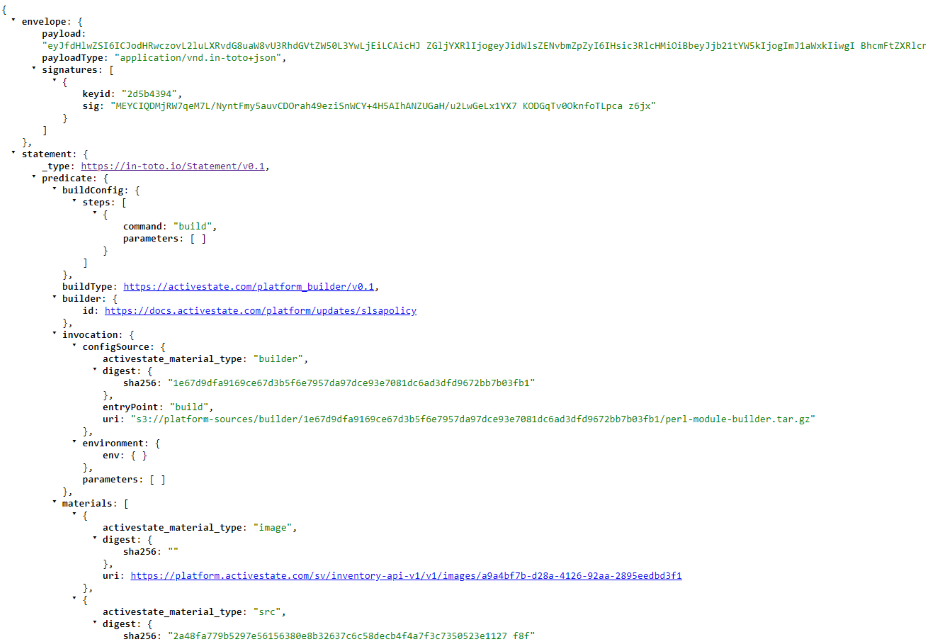
Attestations
Software attestations are emerging as a key verifiable control for software supply chain security, and are essential for US government vendors to meet Executive Order 14028 requirements. Producing accurate software attestations that conform to existing formats (like in-toto) and criteria set by widely accepted frameworks (like SLSA) will improve the integrity of your software and its composing artifacts, and secure your software supply chain.
The following types of attestations are available
- SLSA Provenance- verifiable information describing where, when, and how software artifacts were produced.
- SLSA Verification Summary Attestation- statement assuring an artifact has been verified at a specific SLSA level and includes details about that verification.
How to generate an attestation
Attestations are accessed through the Build Graph API and items are returned in your query as one of three types
- Source
- Shown as
"__typename": "Source"in your GraphQL output. - This is the original source code mirrored from the original repository (Pypi, CPAN, etc).
- ActiveState did not write this code but can attest to its source and provide a SHA-256 checksum.
- Shown as
- Build
- Items used by ActiveState to build the "source" items into runtimes.
- This is proprietary code generated by ActiveState and can be attested to, but will not be available for dissemination to users.
- Artifacts
- Shown as
"__typename": "ArtifactSucceeded"in your GraphQL output. - Files representing the language core and dependencies requested for the runtime.
- To confirm, validate the binaries on your system against the artifact attestations. Note that the State tool does this automatically after downloading.
- Shown as
After signing in to your Platform account go to https://platform.activestate.com/sv/buildplanner/graphql to begin a GraphQL session. Enter the following code sample in the “query field” (left side of the screen) of the GraphQL interface, replacing the following bracketed information with the details of your project. If you are returning to the GraphQL interface, be sure to clear the cached code and paste in the new code sample.
<orgname>The name of your organization<projectname>The name of your project<projectCommitID>A “commit ID” from your project. A record of these commits can be found in the History tab of your project page.
query slsa {
  project(
    organization: "<orgname>"
    project: "<projectname>"
  ) {
    __typename
    ... on Project {
      commit(vcsRef: "<projectCommitID>") {
        ... on Commit {
          build {
            ... on Build {
              nodes {
                __typename
                ... on Source {
                  nodeId
                  namespace
                  name
                  version
                  attestations {
                    ... on Attestations {
                      slsa_provenance(version: "0.2")
                      slsa_vsa(version: "0.2")
                    }
                  }
                }
                ... on ArtifactSucceeded {
                  nodeId
                  displayName
                  attestations {
                    ... on Attestations {
                      slsa_provenance(version: "0.2")
                      slsa_vsa(version: "0.2")
                    }
                  }
                }
              }
            }
          }
        }
      }
    }
  }
}
An example query is shown below. The fields necessary for a successful query have been outlined in red.
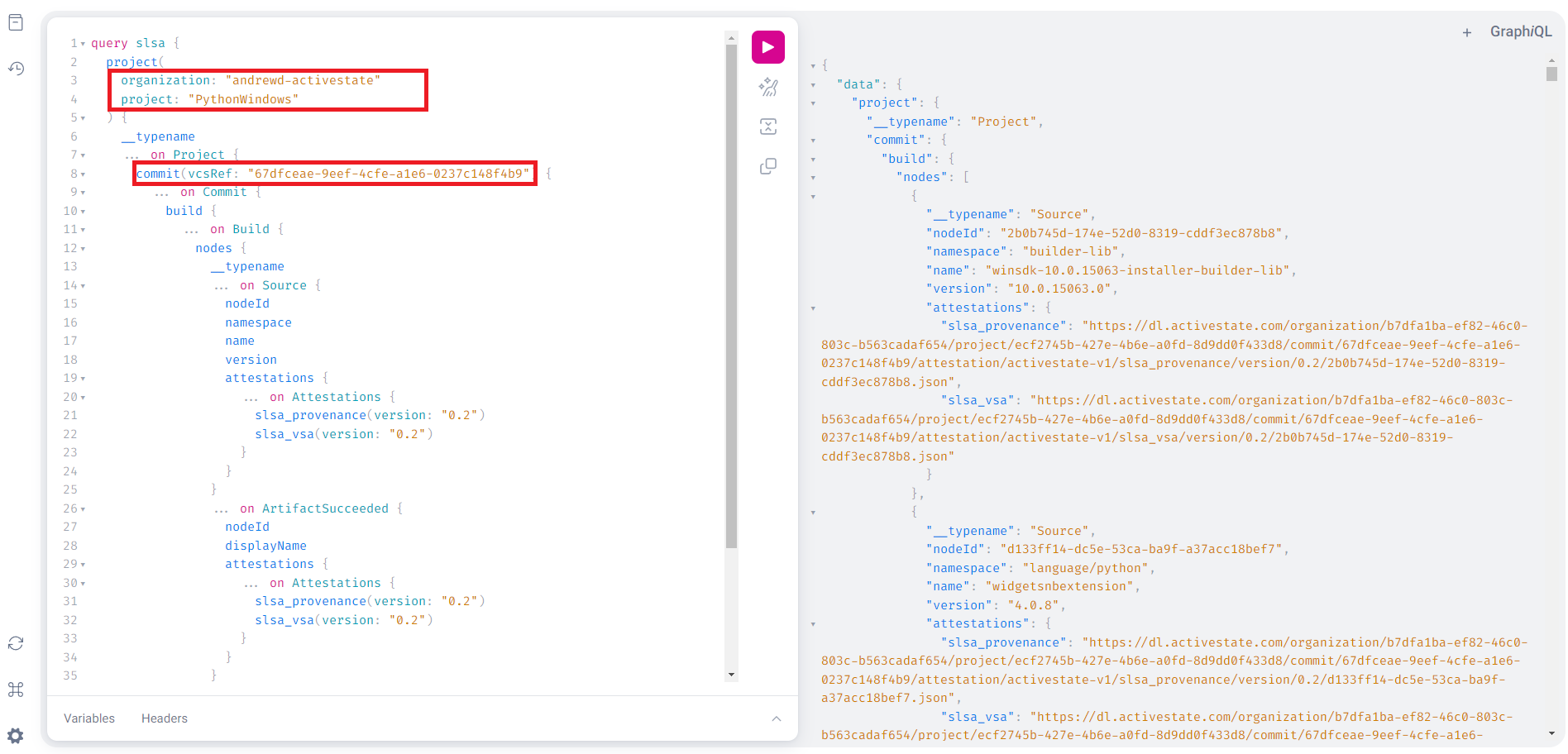
After entering the information from your project, clicking the execute button (“play” button in the top menu) will return the requested attestation information.
For private projects
If the project is private you will need to authenticate your query. The easiest way to do this it with a JWT.
- Download and install the State Tool.
- Authenticate your account using the
state authcommand. - Generate a JSON web token for your project by using the
state export jwtcommand and copy the result. - Open the GraphQL interface.
- Click on the Headers button at the bottom of the page and paste in the following:
{
 "Authorization": "Bearer <JWT-here>"
}
- Use the GraphQL interface to send a query. Use the sample query above as a starting point
Viewing an artifact’s attestations
Your GraphQL query will produce two separate items, a provenance attestation and a verification summary attestation.
Accessing a slsa provenance attestation
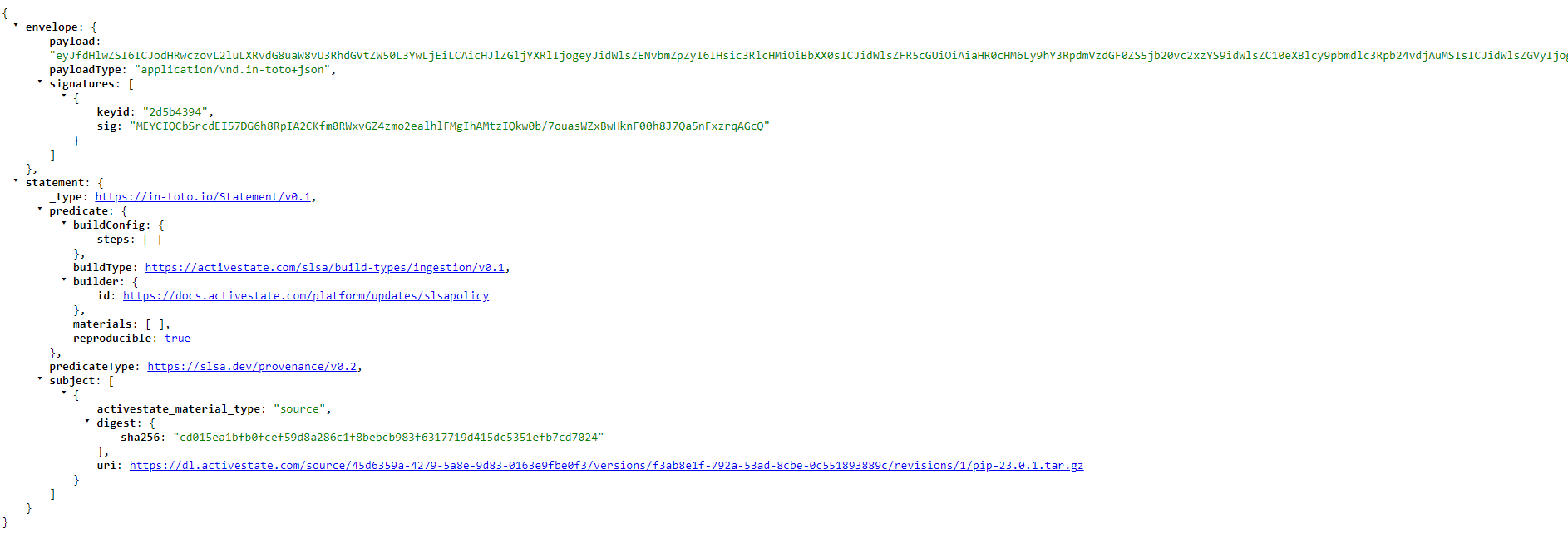
All provenance attestations adhere to the current SLSA requirements. You can view a provenance attestation for each artifact by copying the URL shown after the "slsa_provenance" field in the GraphQL query above and pasting it into your browser.
The details in the JSON output for each artifact include
- The payload and payload type
- Any applicable signatures and their key IDs
- Predicate and build types, and if the build is reproducible
- A SHA-256 checksum unique to that artifact
Accessing a verification summary attestation
Similar to the project’s provenance attestation, the verification summary can be found in your initial GraphQL query output as a URL following "slsa_vsa". VSAs are only available for "artifact" types (listed as "__typename": "ArtifactSucceeded" in your GraphQL output).
The VSA is broken down into three independent layers
- Envelope (outer) layer
- Handles authentification and serialization
- includes payload, payload type, and signatures
- Statement (central) layer
- Connects the attestation to a particular subject and states associated predicates
- Type of statement
- Subject
- Predicate and predicate type
- Predicate (inner) layer
- Contains metadata about each subject
- Describes predicate type listed as a unique URI
- Includes a SHA-256 checksum